Posts

A Beginner's Guide To Building Your Own PC
Image
  Building a PC can be an overwhelming task, especially if you are new to the world of computer hardware. But building your own computer can be a rewarding experience, and it is not as difficult as you might think. With some basic knowledge and the right tools, you can build a computer that is tailored  to your specific needs and budget. In this beginner's guide, we will walk you through the process of building your own PC, from choosing the right components to assembling them together. Are you tired of using a slow and outdated computer that struggles to run the programs you need? Do you want to save money by building your own computer instead of buying an expensive pre-built one? Then, read on to learn how you can build your own PC in a few simple steps. Choosing the Right Components The first step to building a PC is to choose the right components. There are several key components that you will need to build a computer, including a motherboard, CPU, ...

The Beginner's Guide to Building a Gaming PC in 2023

Image
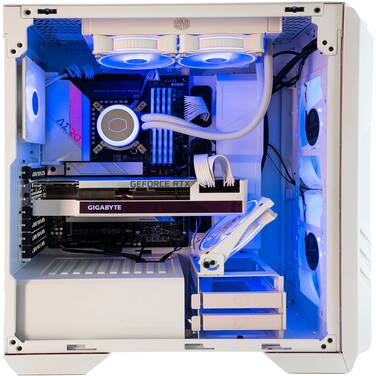
 Building your rig is the way to go when prebuilts don't cut it or you finally have the chance to get into PC gaming properly. This gaming PC build guide will help you make a powerful computer that can run your games and more. Here is a list of computer parts in Australia and components you can use to build your dream gaming rig. Graphics Card (GPU) We'll start with GPUs because they're essential in gaming. Although an NVIDIA graphics card is what we suggest, you shouldn't rule out an AMD or Intel Arc graphics processor. Currently, the RTX 3060 is the best budget-to-performance build card. In contrast, the RTX 3060Ti provides a performance improvement at a marginally higher cost. CPU And Motherboard Next, we put together the CPU and the motherboard. The model of the motherboard tells us if the CPU will work with it, so we put them together. This section will explain why an AMD build is best for our cheap-but-fast computer. For the CPU, we suggest the AMD Ryzen 5 5600 ($...

Desktop Computer Buying Guide - Computer Alliance

Image
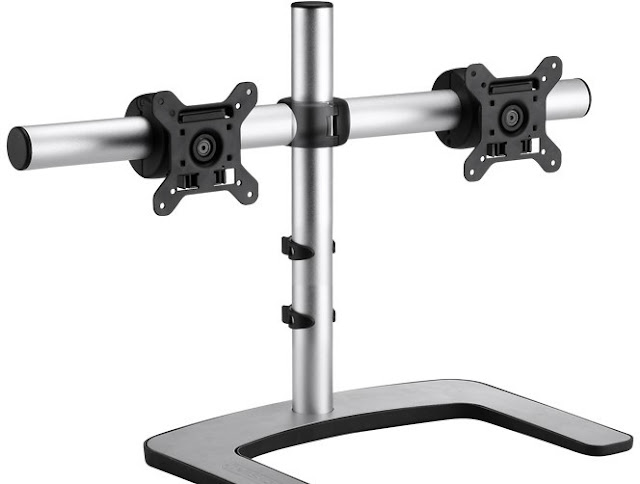
Desktop PCs can perform better and support more peripherals than many laptops, but they vary in size, price, and processing power. This guide tells you everything you need to know to choose the best desktop PC with a freestanding monitor stand .       1.Your Budget and Needs The best computer specs depend on how you plan to use it. For example, what you want to do with your PC will determine how fast it needs to be. A gaming PC needs a fast processor, a lot of RAM, and a powerful graphics card. A cheaper desktop should be fine if you want to use your computer to browse the web and do simple work tasks like word processing. 2.Desktop Processors There are many different kinds of central processing units (CPUs) for desktop computers, but AMD and Intel produce the vast majority of them. Most of the time, Intel processors perform better than AMD processors, but they cost more. The main difference between processors is how many cores they have and how fast they are. Most manufa...

How To Choose A Good Computer Shop

Image
Taking good care of your computer will probably last between five and eight years on average. It will need to be kept in good shape and fixed at some point, maybe more than once. Even the most reliable computers can have problems before their expected end of life. How do you find the best place to buy a computer near you? Here are some suggestions for locating a reliable computer shop . Check out the reviews and recommendations When looking for local computer repair services, asking for references is the first step. If you ask your family and friends for references, you can get them quickly. Ask them if their computer has been fixed. Where did they get it fixed, and was it a good time? If the experience is terrible, they would never tell anyone else about the shop. Even if one person's word isn't the final guarantee, it will give you an excellent place to start. The next step is reading reviews on their website or search engines to buy custom PC online. Most online sites will h...

Basic Computer Parts Required to Assemble Computer

Image
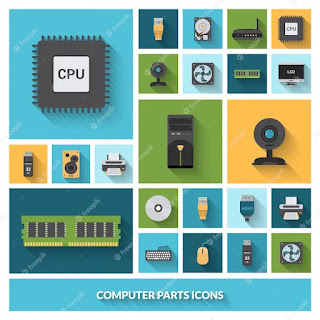
Are you thinking of building your PC but don't know which computer parts you need to assemble? Here is the list of computer parts in Australia that you can use to assemble your computer. Let's take a look and follow the guide. 1.Computer Case The computer case is a plastic or metal box containing the PC's key components, including the central processing unit, motherboard, and power supply. The case usually has an on/off button and optical drives. It comes in different sizes and shapes. The desktop case sits flat on the desk. Also, the monitor will be present at the top of the case. The tower case is large and situated right in front of the monitor. 2.Monitor The monitor is the second most essential component used to build your PC. It functions with a video card inside the case to display text and images on the screen. Most monitors come with a control button with which you can change the display's settings. Some monitors come with built-in speakers and LCD or LED displ...

How To Choose The Best Computer Shop

Image
Buying a new or used computer for your farm office can seem like a big job. There may seem endless choices, but you want to make the right purchase for your bright office, so you don't waste time or money. Every office and user has different needs for both hardware and software, so keep it in mind before you go shopping. Consider these guidelines while you buy custom PC online for your rural business office: They Should Be Able to Provide Services of Good Quality High-quality products are sold and serviced at a good computer store. That includes high-quality devices like computers, Mac desktops, and even laptops. Also, the price of the goods should be in line with what you can get from them. Whether the Store Offers Specialized Services to Meet its Customers' Needs There's no question that your city has a lot of computer businesses, which means that the services they offer are very different. But you should be focused on a particular service that you want. For example, the...

Things to Keep in Mind When Buying Computer Parts

Image
There is a slew of numbers to deal with, whether you're building a new computer or upgrading an existing one. You will be bombarded with lies with gigahertz, RPMs, and bytes flying in all directions. Some of these numbers should be familiar to you before you buy a system, create a system, or upgrade your computer, so you know what to believe and what not to believe about computer accessories online in Australia . A Computer's Internal Storage Device A hard drive's capacity can be calculated with relative ease. If a product says it has 500GB of storage, it has 500 gigabytes. Only a few numbers in computer science are accurate. A drive's storage space is exactly what it claims to be, even if there is a little but significant discrepancy between the advertised and actual capacities. You can search for the best place to buy computer parts in Australia to know about the best ones. RAM The speed of RAM is equally as important as the size. You will have more ...